GrapheneOS: An Introduction
/ 5 min read
Table of Contents
I was having some issues syncing my contacts from Fastmail with my Google Pixel. As I dug into the issue, I started to suspect that Google’s flavor of Android might be making things difficult. I decided it was time to give GrapheneOS a try.
GrapheneOS is a privacy and security focused mobile OS with Android app compatibility developed as a non-profit open source project. It’s focused on the research and development of privacy and security technology including substantial improvements to sandboxing, exploit mitigations and the permission model. It was founded in 2014 and was formerly known as CopperheadOS.
I’m a few days into using GrapheneOS and it is a breath of fresh air. Google’s Android has surveillance baked in. They watch everything I do on my phone, record that data, and use it to bombard me with ads. Moving to GrapheneOS has transformed my phone into a tool that works for me, not Google.
Privacy
The primary reason I’ve switched to GrapheneOS is privacy. I don’t like having Big Brother Google watching what I do on my phone. I haven’t personally verified GrapheneOS’s privacy claims, but everything I’ve read online suggests it has an excellent reputation on this front. I’m open to hearing about alternatives, but for now I’m very happy.
Apps
Here’s what I use my phone for:
- Communication
- Web Browsing
- Writing
- Photos
- Weather
- Maps
- Smart Home
Communication
I use US Mobile’s Dark Star (AT&T) network. I was pleasantly surprised that installing GrapheneOS didn’t wipe my eSIM, and my phone was working right out of the gate. Here’s a quick rundown of communication on GrapheneOS:
- The built-in phone app is solid and reliable, that’s what I use.
- The built-in messaging and contacts apps are intentionally minimal, so I’ve installed QUIK for messaging and Fossify Contacts.
Web Browser
The built-in web browser Vanadium is great. “Vanadium is a hardened variant of Chromium providing enhanced privacy and security, similar to how GrapheneOS compares to Android Open Source Project (AOSP).” I had previously been using Firefox on my phone with some security tweaks - Vanadium is way better out of the box, it’s a nice upgrade for me.
Writing
The built-in keyboard is meant to be replaced. I tried a few options:
- FUTO Keyboard: great voice to text, terrible glide typing
- HeliBoard: good (but not great) glide typing
- Gboard: excellent glide typing
I’ve decided to use Gboard with no network permissions so it can’t send data back to Google.
Photos
The AOSP camera app is a major downgrade from what shipped with the Pixel. So I installed Pixel Camera with no network permissions. I’m also playing around with Open Camera, but it’s less of a point-and-shoot app and more suited for hardcore photographers. If there are any camera apps you like, please let me know!
Weather
Google’s weather app is very good. I’ve replaced it with WeatherMaster, which is pretty good. I did have some issues with its widgets, though, so I also installed Today Weather just for the widgets.
Maps
I’m trying out OsmAnd for maps. I haven’t tested it much, and I wouldn’t be surprised if I went back to using Google Maps.
Smart Home
My home has Nest thermostats, so Google has a view into some of the activity in my home. For that reason, I’m currently using Google Home. It works totally fine on GrapheneOS. I have also set up Home Assistant, but I found Google Home is easier for my family.
Launcher
I saw a screenshot of Lawnchair in use and decided I needed to pimp my home screen:
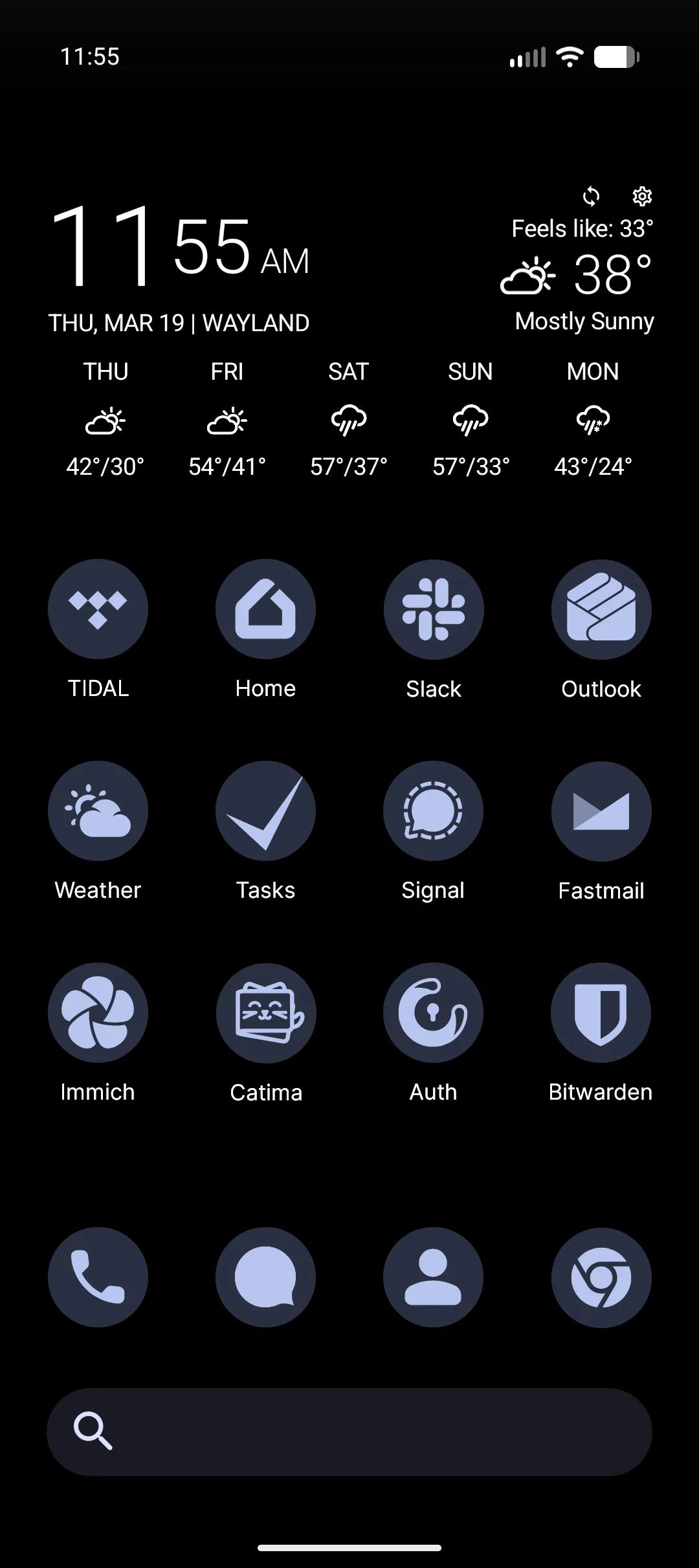
I believe you could use Lawnchair on any Android phone.
Features
There are a few features that really set GrapheneOS apart from the version of Android that shipped with my phone:
- Notifications
- Modes
- Users
Notifications
By default, notifications are set so that no sensitive content is shown on the lock screen. This is surprisingly awesome. I can see that I got an email, but I can’t see who it’s from or what it’s about. Having to unlock my phone to view the message content is really nice. It gives me a second to decide whether I want to stop what I’m doing and read an email.
Modes
Minimize distractions and take control of your attention with modes for sleep, work, driving, and everything in between.
I like turning my phone’s screen gray after 9pm. It’s awesome how easy it is to set up a mode for that.
Users
Share your phone by adding new users. Each user has a personal space on your phone for custom Home screens, accounts, apps, settings, and more.
Being able to set up separate user accounts on my phone is a really cool feature. I like that the phone starts with a single Owner account, and I’m not forced to sign in with a Google account.
Conclusion
GrapheneOS is superb. Losing visual voicemail is a little bit of a bummer, but transforming my phone from something that was spying on me into a tool that works for me - and only me - is worth it. I do worry that Google will try to kill GrapheneOS if it gets too popular.